

Work-In-Progress: A Custom MIDI Controller on Pi Pico
A collaboration to build something simple in hardware.

After nearly 20 years building custom software in Max/MSP, I’ve amassed a long list of hardware devices that I wish existed for performance. There is often something on the market that comes annoyingly close—but not precisely the thing that I want. Having grown accustomed to complete customization and flexibility in software design, a comparative lack of chops in hardware building has started to feel like a real handicap.
I was blabbing on like this a few months ago to a friend of mine—a software engineer who works for Google, and likes to tinker about with Arduino, Raspberry Pi, and 3D printing in her spare time. I mentioned a very simple MIDI controller I wished existed, one with endless encoders and OLED screens for simple feedback and parameter information. “Why don’t we build it together?”
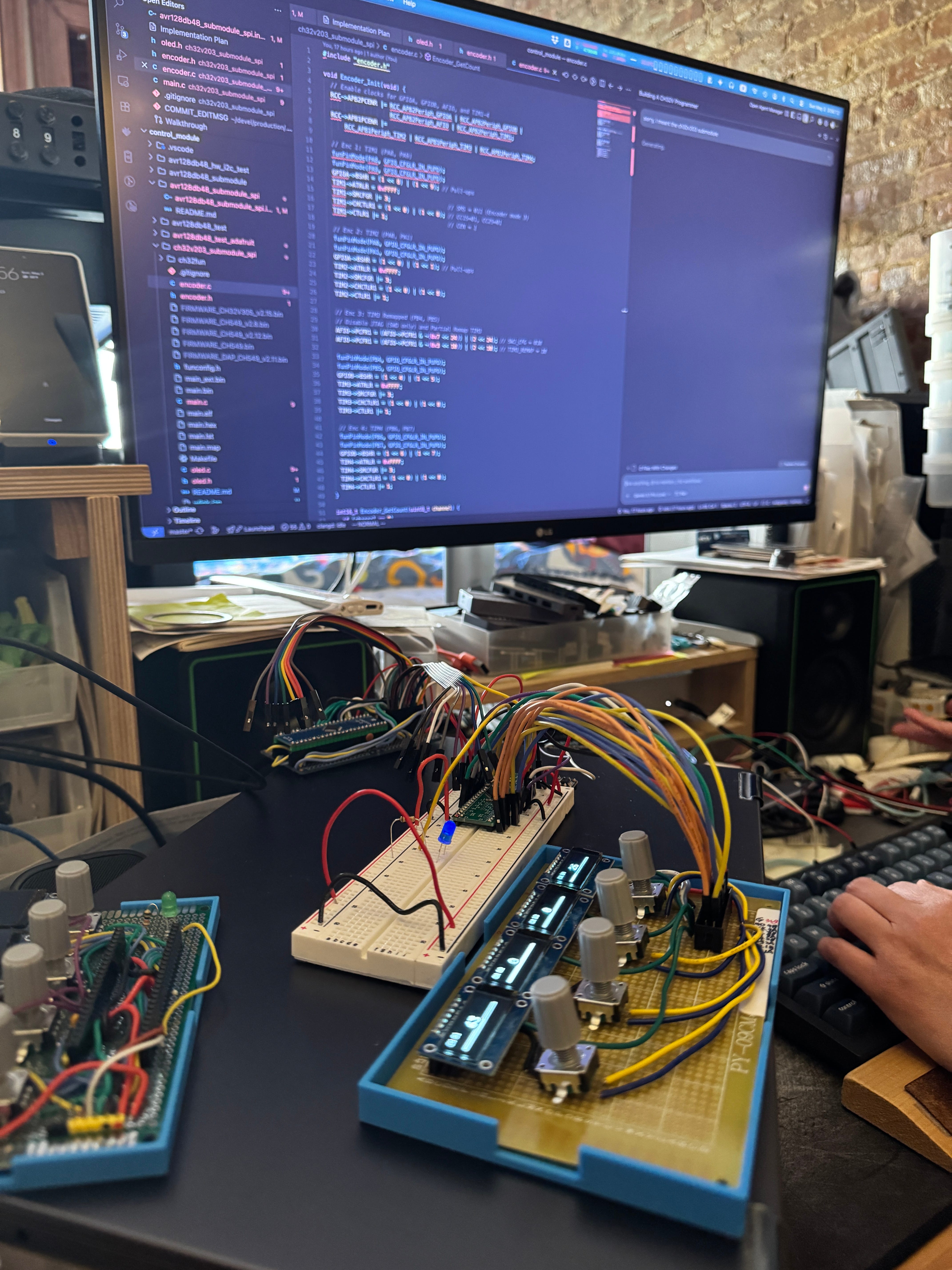
Well, it turns out that with a couple weekends working together at her Manhattan apartment and we’ve actually gotten pretty close to the device I described. While it’s not yet a finished object, I figured I’d share some of the work-in-progress below.
Quick note: my new album ITERAE with Jozef Dumoulin is out now. You can listen / purchase it below. All paid subscribers to Patch Notes get a download of the album free.
Overview
The design brief is simple: a bank of endless rotary encoders (say, 8 to 24) that output MIDI control messages—each with its own OLED screen to display parameter name + value. That’s it.
Does this really not exist already? I mean, I’ve seen a couple designs that get close. The most tantalizingly close realization of this actually exists in my studio headphone monitoring system, the Hearback Pro with its digital overlays. But that doesn’t (directly) output MIDI, requires a separate rackmount box, and is honestly more than 5x the amount of money I’d reasonably want to pay for something like this.
I’m sure someone will appear in the comments linking me to exactly the device I’m describing for $100. But I’ve searched for years and never seen it.
The problem this imaginary device wants to solve is this:
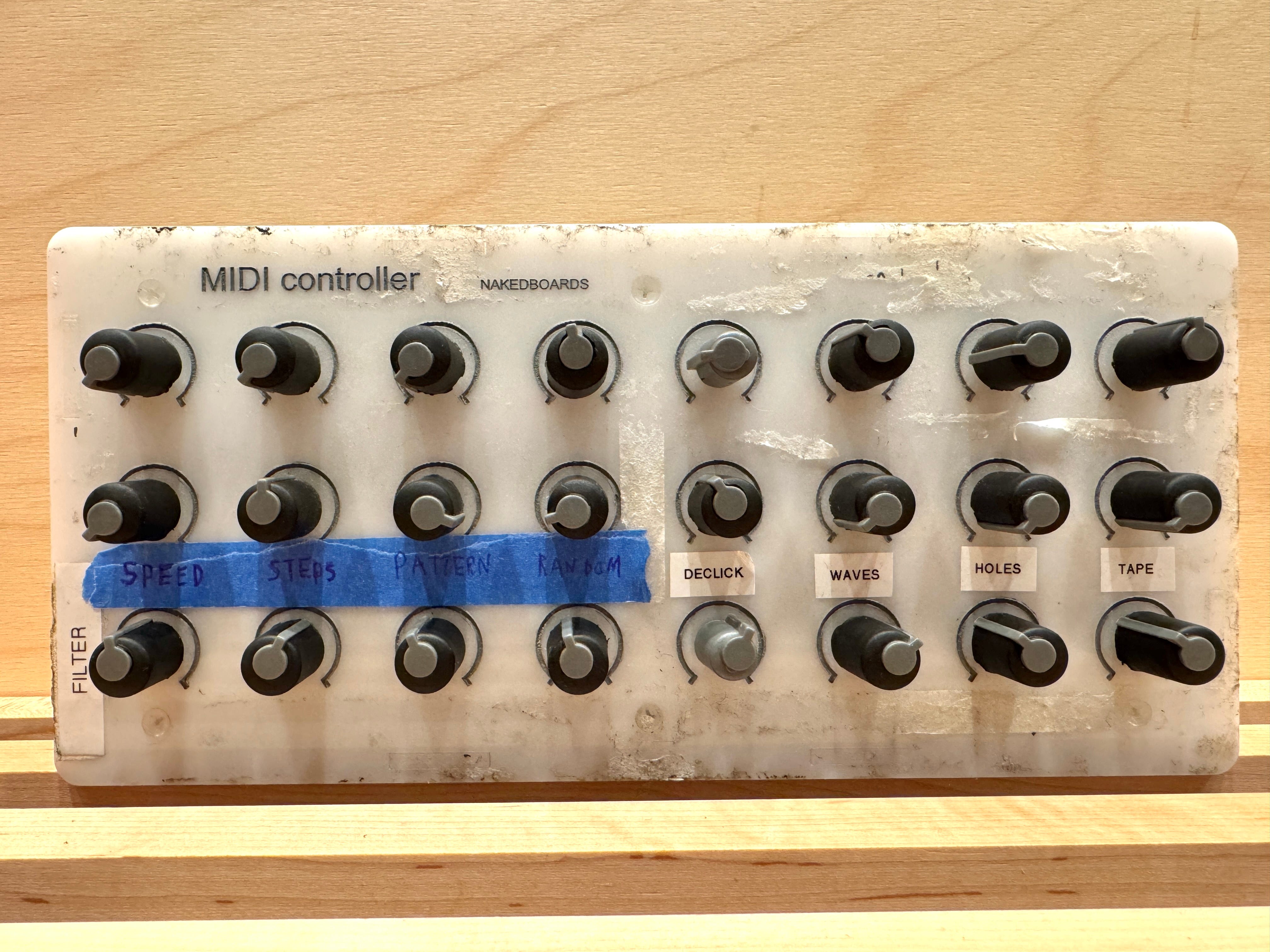
Look familiar to anyone? Can you actually read these labels under low light at a gig? If you want to change parameter location, do you have your label maker on tour? And what if you want more than x parameters (x = 24 here)? Buy another?
OK, so what if we could simply have an OLED for each parameter? It displays parameter name and value. Then we use endless encoders, and use the OLED for positional/numerical feedback. Want to bank over and expose more parameters? Easy, click a button and you’re on Bank 2 with live values and parameter names for Parameters 25-48. Oh and you can actually read the parameters when you’re performing on a dark stage, rather than spending valuable seconds decoding your masking tape mess, or just guessing.
That’s the idea. As I said: this should exist, and should be pretty cheap. As far as I know (commenters, that’s your cue!) it doesn’t exist, at least in this simple form.
Prototype
Our prototype uses an architecture that my friend suggested: rather than wiring every encoder and display directly into the main microcontroller, each bank of four encoders and OLEDs attaches to its own local “submodule” board, which handles the immediate interaction logic—reading encoder movement, updating displays over SPI, and tracking parameter state locally.
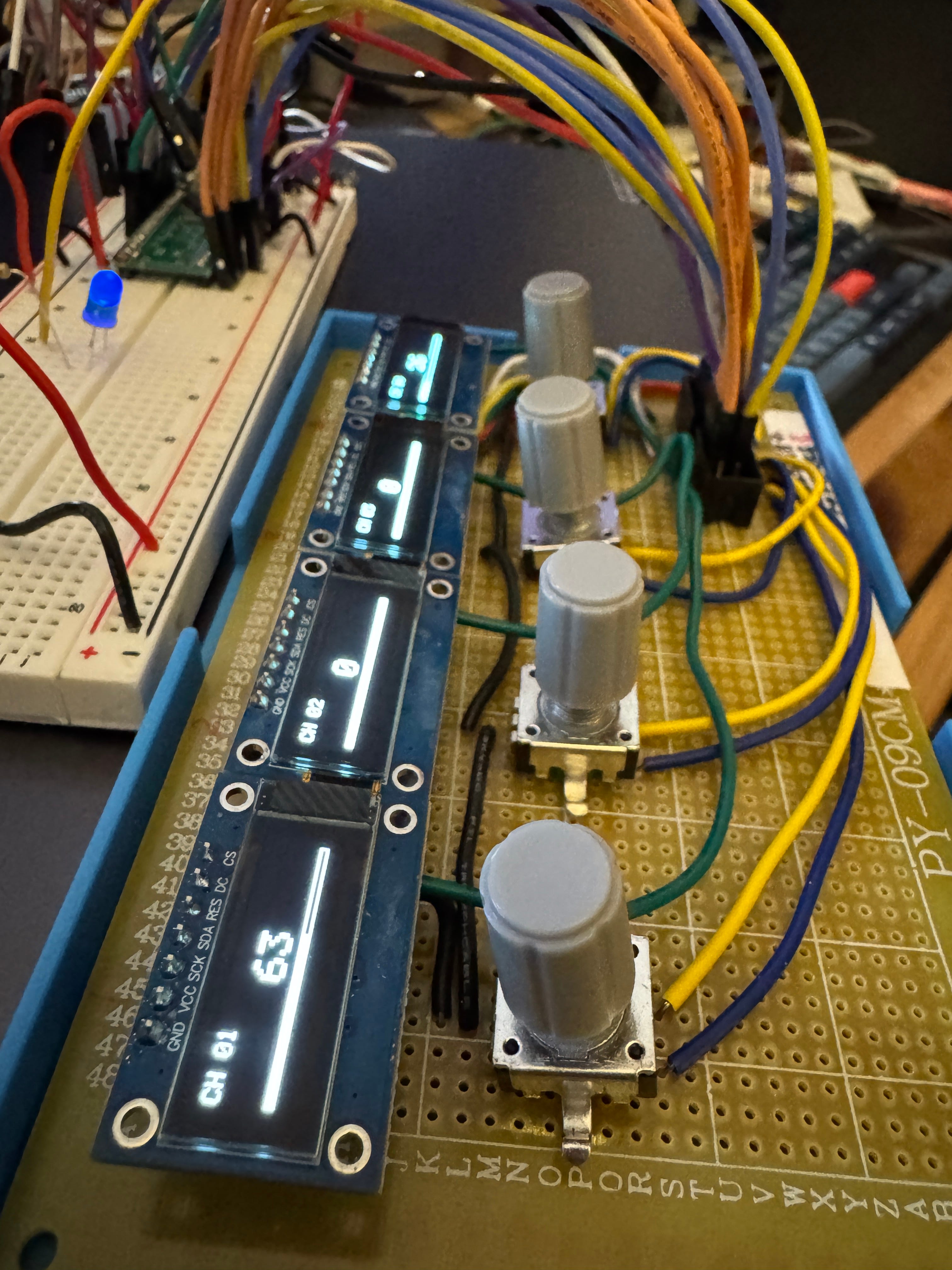
Those submodules then communicate upstream to a central Raspberry Pi Pico over I2C, essentially reporting only meaningful changes and events rather than forcing the Pico to continuously poll dozens of controls.
In practice, this means the system feels surprisingly responsive and remains scalable. The displays are fast because they’re driven locally, while the Pico is free to focus almost entirely on MIDI output and higher-level state management. The architecture also makes it possible to expand the device almost like building blocks: 4 parameters becomes 8, then 16, then 24, without the wiring or firmware complexity spiraling completely out of control.
(The modular aspect is vaguely reminiscent of this modular design, which I’ve seen a few friends using over the last few years. Whether or not we end up leaning into the modularity or just fix the design with 2, 4, or 6 submodules still remains to be seen.)
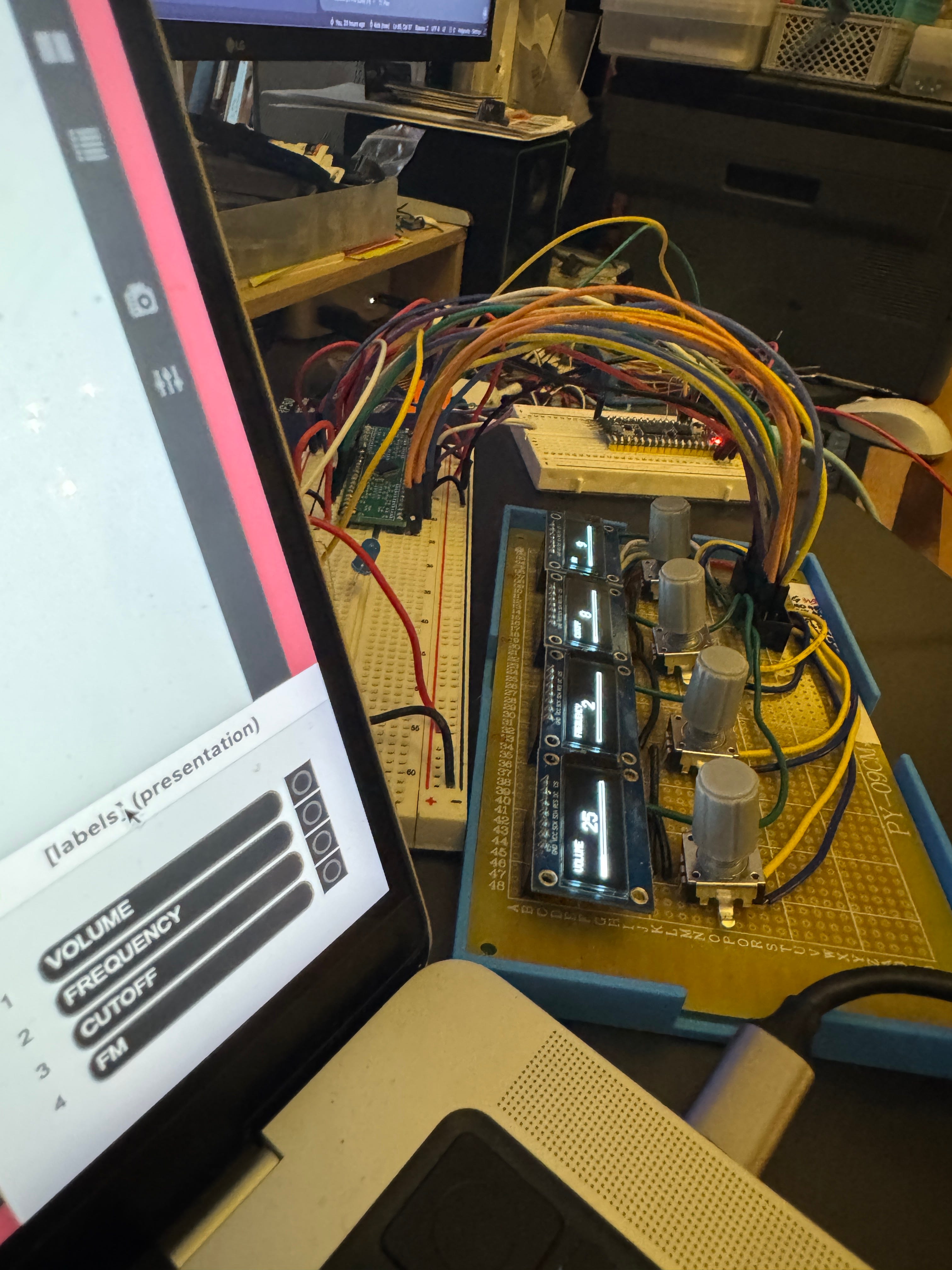
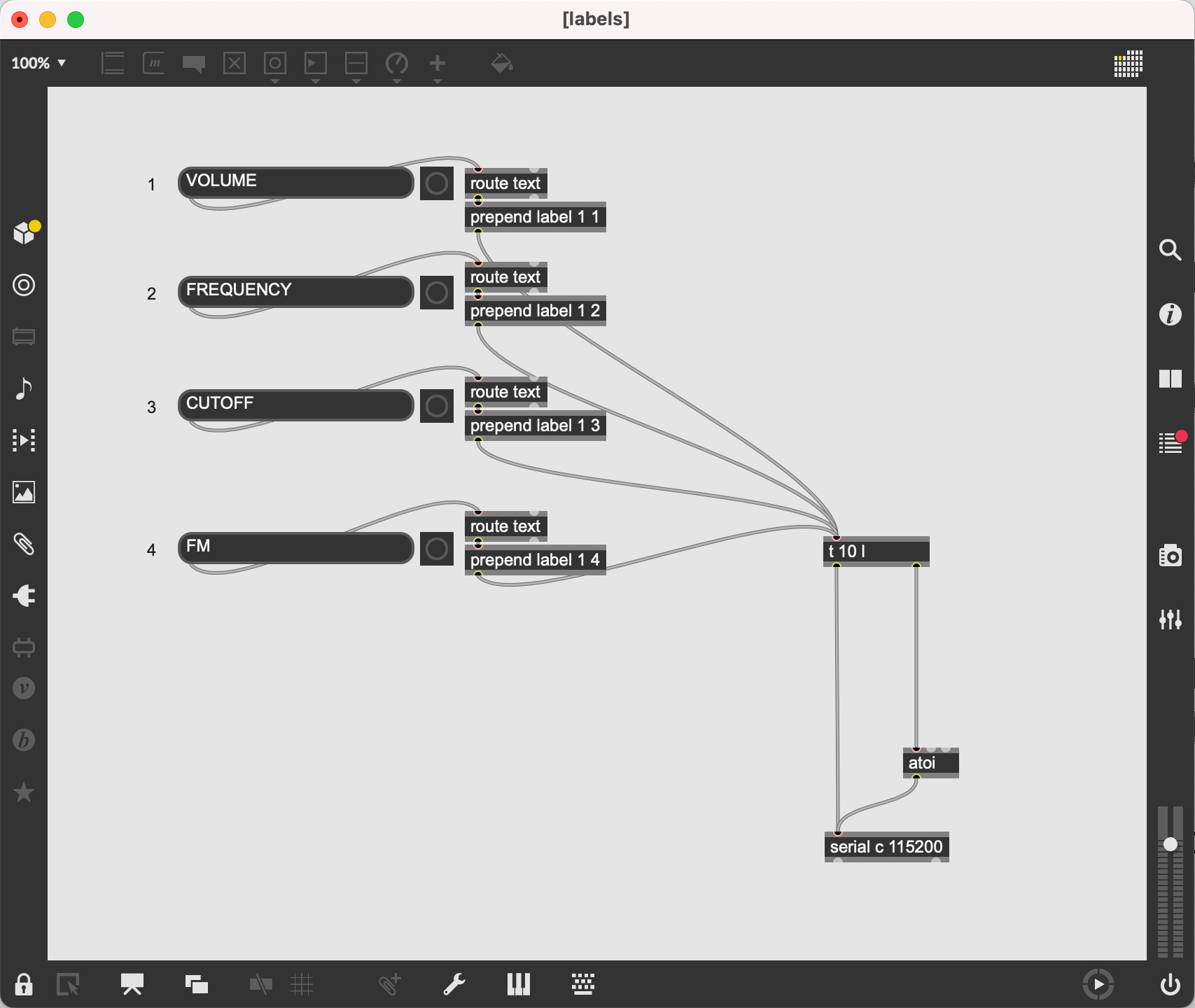
The last thing that was important to me was to be able to dynamically name the channels from right within Max/MSP. After a bit of tinkering we were able to get that working perfectly using the [serial] object and some simple ASCII text encoding.
Next Steps
At the moment, everything is still living in the cursed world of jumper wires, breadboards, perfboard, and temporary connections.
So the next step is moving from prototype wiring to proper PCBs (Printed Circuit Boards). We’ve already designed and ordered four test boards for the encoder/display submodules. Beyond simply making the device physically cleaner and more reliable, the PCB stage is important because it forces a certain level of architectural commitment.
Instead of a dense nest of hand-routed jumper wires, each module effectively becomes a self-contained building block with known dimensions, mounting points, power distribution, and communication paths. In theory, adding another bank of parameters eventually becomes less like electronics prototyping and more like LEGO blocks.
Then comes enclosure design—an entirely separate rabbit hole. We’ll likely prototype with 3D printing so we can iterate quickly on spacing, ergonomics, angles, and general physical feel. Longer term, though, I’d love for the finished object to move away from “maker project” aesthetics and toward something more instrument-like. We’ve talked about eventually building a hardwood enclosure—something closer to studio furniture or a small electronic instrument than a generic black aluminum box.
I hope to report back on the project once our PCBs arrive and we start the enclosure design. But for now, we at least have a small success…
Joseph Branciforte
6 May 2026

Subscriptions
Patch Notes will always be free to read. If you’d like to support my work and access additional materials—including downloads of my full album catalog and patches featured in posts—there are a few ways to subscribe below.
FREE
Access to regular posts covering sound, design, technology, and process.
PAID ($5/month or $50/year)
Bandcamp download codes for my complete digital album catalog (past and future releases).
Downloadable Max/MSP and Pure Data patches featured in posts.
Access to subscriber-only posts, including interviews with artists, musicians, and composers.
Early access to pre-order Greyfade physical releases before they go on sale to the general public.
FOUNDING ($150/year or more)
Everything in the Paid Subscription tier.
A Bandcamp download code for each new Greyfade release (3-4 per year), with proceeds going to the artists.
Download of my custom Max/MSP utilities library—jb.utilities—along with help files. I’ve coded and updated these over the last 20 years and use extensively across all my Max/MSP work.
Directly supporting and sustaining the creation of new music, custom technology, and experimental design at the heart of my work.
cool stuff! have you looked into platform.io? It supports better project structure than arduino sketches and uses C++ objects.